Conference scavenger hunt: 15 prompts and a host plan
Plan a conference scavenger hunt with 15 conversation prompts, a short networking format, sponsor permissions, accessible alternatives, and a host launch script.
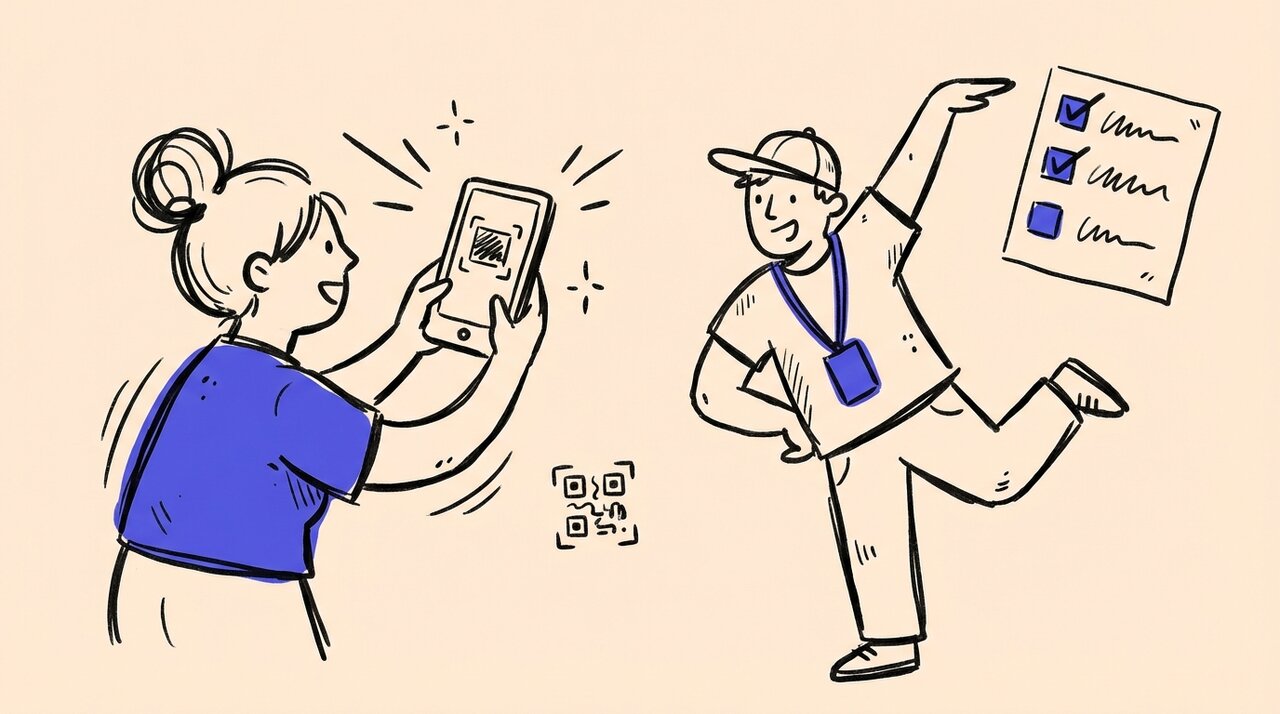
A conference scavenger hunt gives attendees a reason to start a conversation: compare a challenge, exchange a useful idea, or ask an exhibitor a specific question. A photo can capture what they learned, but it should not be the price of joining in.
Start small: offer a few prompts during a scheduled networking slot, let people choose which to try, and accept a photo of a note instead of a face. Keep an optional version open between sessions if your team can support it. The formats below are suggested starting points, not proven ideal timings or participation targets.
Use this guide for choosing a format , 15 prompts , the launch script , and the organizer checklist .
Choose a format before choosing prompts
If introductions are the only goal, you may not need a photo hunt. A facilitated conversation round or a printed prompt card avoids upload work entirely. Liberating Structures’ Impromptu Networking is one established example of structured exchanges in pairs. It is a facilitation method, not evidence that photography improves networking.
Use a photo hunt when you also want attendees to contribute a shared record of ideas and event moments. Do not use it to require proof that someone networked, or to fill every break in an already demanding agenda.
Suggested short format: a 20 minute conversation round
- First 3 minutes: explain the activity, read the permissions rule, show the link and QR code, and point out the seated participation area.
- Next 12 minutes: invite attendees to choose two of prompts 1 to 5 below. They can stay with one conversation rather than rush to finish both. Offer introductions for people who want help finding a partner.
- Last 5 minutes: invite a few volunteers to share an idea. Uploading is optional; a spoken or written contribution counts too.
Use this during a dedicated networking slot or reception, not during a session change when people need to move rooms. Leave time for food, rest and personal needs. Try the instructions with a few colleagues first and extend the slot if joining or moving takes longer than expected.
Suggested all day format: choose three, between sessions
Publish a menu of six to eight prompts drawn from the list below and invite people to try any three. Include conversation, sponsor and observation options, but do not require one from every category. Open sponsor prompts only while participating booths are staffed.
Announce one closing time with the venue’s timezone, a help location and whether uploads will remain open afterward. If you announce winners before the final session, set an earlier judging deadline. Late photos can still belong in the gallery without changing the results.
Choose the short format if nobody can monitor an activity throughout the day. An all day hunt needs someone to answer questions, deal with unavailable booths and review uploads. Leaving a QR code on a slide is not the whole operating plan.
15 conference scavenger hunt prompts
These prompts revise the original list around one rule: have the conversation first; record only what everyone agrees to share. They do not require captions, automatic scoring or a particular app. Put the takeaway on a card and photograph it if your collection tool only accepts photos and videos.
For every prompt, offer a host-recorded written or spoken alternative outside the photo tool. Nobody needs to appear in a photograph, reveal their employer, or disclose personal history to participate.
Meet someone through a shared question
-
Unexpected agreement. Ask someone in a different role, “What is one thing our industry makes harder than it needs to be?” Write one point you agree on and photograph the note. Leave names and employers off unless both people want them included.
-
Career lesson, without the biography. Ask, “What is something you wish you had learned earlier?” Photograph a word or sketch that captures the lesson. Skip questions about age, qualifications or career gaps.
-
Skill swap. Each person offers one skill they could explain and one thing they want to learn. Photograph the two notes together. Exchange contact details privately only if you both want to continue the conversation.
-
A problem with two perspectives. With another attendee, choose a fictional business problem and write how each of your roles would approach it. Photograph the page. Do not use client names, internal figures or a live customer problem.
-
Next year’s question. Ask a new contact what question they hope the next conference will answer. Submit a photo of the question, or a short video if everyone involved agrees to being recorded and to the stated display use.
Talk to a sponsor who has agreed to participate
Ask each sponsor to approve the exact prompt, the available hours and what may be photographed before publishing. A busy booth can offer an approved answer card instead of an interview. Do not send attendees into other exhibitors’ spaces to complete a task.
-
One misconception. Ask, “What is a common misunderstanding about this type of product?” Photograph your own summary after the representative checks it. Recording a salesperson is not required.
-
Before and after workflow. Ask the representative to describe a fictional workflow. Sketch what changes with their approach and photograph the sketch. Keep screens, customer data and unpublished demos out of frame.
-
The handoff question. Ask, “What happens immediately before or after your part of the workflow?” Photograph a simple diagram of that handoff. Do not present it as a verified integration or endorsement by another vendor.
-
One useful takeaway. Ask for one practical tip someone could use without buying the product. Write it on a card and photograph it with permission. The task is learning something, not collecting swag or scanning a badge.
-
A fit question. Use a question the sponsor has approved, such as “What should a team have in place before trying this?” Photograph the agreed answer. Avoid surprise interviews about weaknesses or competitors.
Notice the event without turning it into a race
-
Theme in the room. Photograph an object, display or approved sign that relates to the conference theme. Add the connection on a note in the frame. No need to cross the venue to find something unusual.
-
A place to continue talking. From the organizer’s approved list, choose an accessible conversation area and photograph its empty table or sign. Never turn a quiet room, prayer room, nursing room or accessibility support space into a hunt destination.
-
Local detail, no detour. Find a local detail already inside the event, such as an approved artwork or a labeled regional food display. Photograph it without requiring a purchase, tasting, outdoor trip or contact with venue staff.
-
A visible practice. Photograph a refill station or another clearly labeled event practice. Describe only what is visible. One photo does not establish the event’s environmental impact or justify a “sustainable conference” claim.
-
One moment, one word. Pick a word for your experience and photograph an object or note that represents it. A group pose or video is optional, not a more valuable entry. No collage software is needed.
For a starter handout, use the conference material in our event photo packs and editable printable . Adapt it to your venue and permissions rather than treating every prompt as mandatory.
Before you share the QR code
Make participation possible without a camera or a walk
The W3C accessible events checklist recommends accessible materials, information about routes, advance access and time for breaks. The University of Michigan’s event guidance also recommends multiple ways to participate, including different roles within an activity.
Apply that here: send the prompts as readable text before the event, provide a link alongside the QR code, and read the launch instructions aloud. Offer a seated conversation table, large print on request and a host who can write down an answer. A partner may handle the phone if invited, but owning or using a phone should not determine prize eligibility.
Do not ask attendees to identify someone by disability, ethnicity, age or another personal characteristic. Avoid speed bonuses, mandatory stairs, alcohol, physical contact or entering crowded areas. Ask about access needs privately and explain how to reach the event’s accessibility contact.
Separate taking, displaying and reusing a photo
Ask before taking a photo and explain where it will appear before uploading. Agreeing to a conversation is not agreeing to a recording. Agreeing to an event gallery is not automatically permission for a sponsor’s advertisement.
Check the conference policy as well as the people in the frame. For example, USENIX’s code of conduct explicitly addresses unwelcome or unauthorized photography. Venue, speaker and exhibitor rules can impose further restrictions. Keep badges, business cards, attendee lists, laptop screens and confidential slides out of photos.
Give attendees a named contact and a practical way to request removal. Have your organization approve the notice and any release language for its intended uses. The following is an operational announcement, not a legal release:
Joining the activity is optional. Ask before photographing or recording anyone. You can photograph your own note instead of a person. Tell people where you plan to submit the photo and respect a no. Our host can accept an answer without a photo. Check the event photo notice for where approved images may appear and how to request removal.
Get sponsor approval without promising leads
Send each participating sponsor a short brief: the exact question, who will answer it, staffed hours, the permitted photo subject, a fallback when the booth is busy, and the proposed use of any resulting image. Let sponsors decline or replace a prompt. Tell attendees that a queue is a reason to choose another task, not to interrupt a sales conversation.
A photo activity is not the same as an exhibitor passport. The AAP’s scavenger hunt program describes a separate workflow with booth QR codes and access to participant information. That illustrates a different requirement, not a capability of Gather Shot. If sponsors need lead retrieval or verified checkpoints, evaluate a system designed for that job and agree on data permissions separately.
Assign the work, including the fallback
- Activity host: explains the rules, offers introductions and accepts equivalent answers without photos.
- Photo reviewer: checks permission concerns, sensitive information and whether an image is suitable for the stated audience. A valid game response may still be unsuitable for public display.
- AV contact: tests the display and can replace it with the conference holding slide if the connection or review queue fails.
- Decision owner: handles removal requests, sponsor questions and any scoring dispute.
One person can cover several roles for a small activity. If that leaves nobody free to review uploads, skip the live display and curate a recap later.
A launch script you can adapt
Fill in the brackets before putting this on a slide or reading it aloud. Put the link, deadline, help location and permission reminder in readable text beside the QR code.
During [networking slot], choose [two] prompts from the list at [link]. You can join alone, with a partner, or at [seated conversation area]. Start with a conversation; a photo of your note is enough. Ask before including anyone in a photo. No badges, screens or confidential information, please.
This is optional, and you can skip any prompt. For an answer without a photo, or help getting started, come to [host/location]. Submit by [time and timezone] if you want it considered for [recognition]. Photos will be reviewed before [specific display or gallery use]. If uploads fail, keep your photo and see [host] for the fallback. For a photo removal request, contact [person/contact].
Only promise review before display if you have enabled it and staffed it. Rehearse the flow from a guest’s phone, including any consent or email verification steps, rather than relying on the organizer preview.
Recognition without a race or a spreadsheet surprise
You can finish with a few voluntary shares and no winner. If you offer prizes, publish eligibility, the closing time, equivalent participation options and the judging rule in advance. Have your organization check any contest requirements.
For a simple manually judged format, give one completion credit per different prompt, up to the announced target. Count an equivalent answer accepted by the host the same way. Do not award extra credit for showing faces, producing video, buying something or visiting more sponsors. If you need one winner, announce a tie rule before play, such as the clearest practical takeaway selected by named judges.
Keep game credit separate from publication approval. For teams, agree on one team label and one submission per prompt, and keep the scores yourself. Gather Shot tracks personal prompt completion; it does not calculate team scores or choose winners.
If the venue connection fails
Test the actual attendee network, including any captive portal, where the activity will happen. Test the display connection separately. Do not assume that a venue’s advertised WiFi means an upload will work from every room.
Provide the prompts in advance so attendees can save them or use paper. They can take permitted photos in their phone’s camera app and upload manually when connected, while the hunt and event upload window are open. Gather Shot requires internet for uploads; do not rely on automatic offline synchronization.
If judging closes before connectivity returns, let the host record equivalent completion under the announced fallback rule. Do not force attendees to use personal mobile data or extend a queue of people trying the same failed upload. Replace a disconnected slideshow with a prepared holding slide.
Where Gather Shot fits
Gather Shot collects conference photos and videos through a QR code or link. Its photo scavenger hunt feature supports up to 50 prompts, personal completion progress and host review by prompt. Guests use a browser without an app or guest account; optional consent, verified email and required guest details add steps.
Public Gallery and automatic approval start enabled. Turn on moderation before collecting submissions if you want review before public display. Disable Public Gallery if you do not want a shared gallery; guests can still see their own uploads. A link can be forwarded, so it is not confidential access control. An uploader’s consent record does not establish permission from everyone pictured.
The free trial includes hunts and 50 unlocked uploads. Pro includes hunts; Basic needs the optional hunt add-on. Extra uploads remain locked until you buy enough capacity. See current pricing and the conference photo collection workflow before choosing a plan.
Close with a useful recap, not an ROI claim
Choose a few permitted images and explain what each contributes: a question worth revisiting, a useful tip or a moment from the event. Check reuse permission again before handing files to sponsors or publishing marketing material. Use tags and downloads to prepare the collection; keep a separate record of any use restrictions.
Report what you actually observed: submissions received, prompts answered, images approved and attendee feedback. Ask a voluntary question such as “Did this help you start a conversation you otherwise would not have had?” Treat the answers as feedback from respondents, not a causal study.
Photo counts do not prove booth attendance, qualified leads, sales or sponsor ROI. A smaller collection of usable, permitted photos can be more useful than a large collection your team cannot safely share.
For broader planning, see conference networking session formats and collecting photos across a conference .
Written by
Gather Shot TeamThe Gather Shot team writes guides, planning resources, and product updates that help event hosts and photographers collect guest photos without asking anyone to download an app.
Related articles
More practical guides selected from the same event photo sharing topics.
Trade Show Engagement: Photo Challenges That Work
Drive trade show engagement with photo-based booth challenges. Learn how QR codes and scavenger hunts help exhibitors start conversations and organizers prove ROI.
Dec 16 · 4 min read
Employee Onboarding Photo Scavenger Hunt: A Welcome Kit
Run an employee onboarding photo scavenger hunt with eight useful missions, buddy introductions, remote options and an editable welcome checklist. Start here.
Oct 29 · 15 min read
Sales Kickoff Team-Building Activities: A 45-Minute Photo Challenge Session
Run sales kickoff team-building activities in 45 minutes with three fictional customer challenges, a timed host script and seated options. Copy the session.
Oct 23 · 15 min read