How to Set Up a Live Photo Slideshow at Your Event
Learn how to set up a live photo slideshow that displays guest photos in real time. Works for weddings, parties, corporate events, and trade shows.
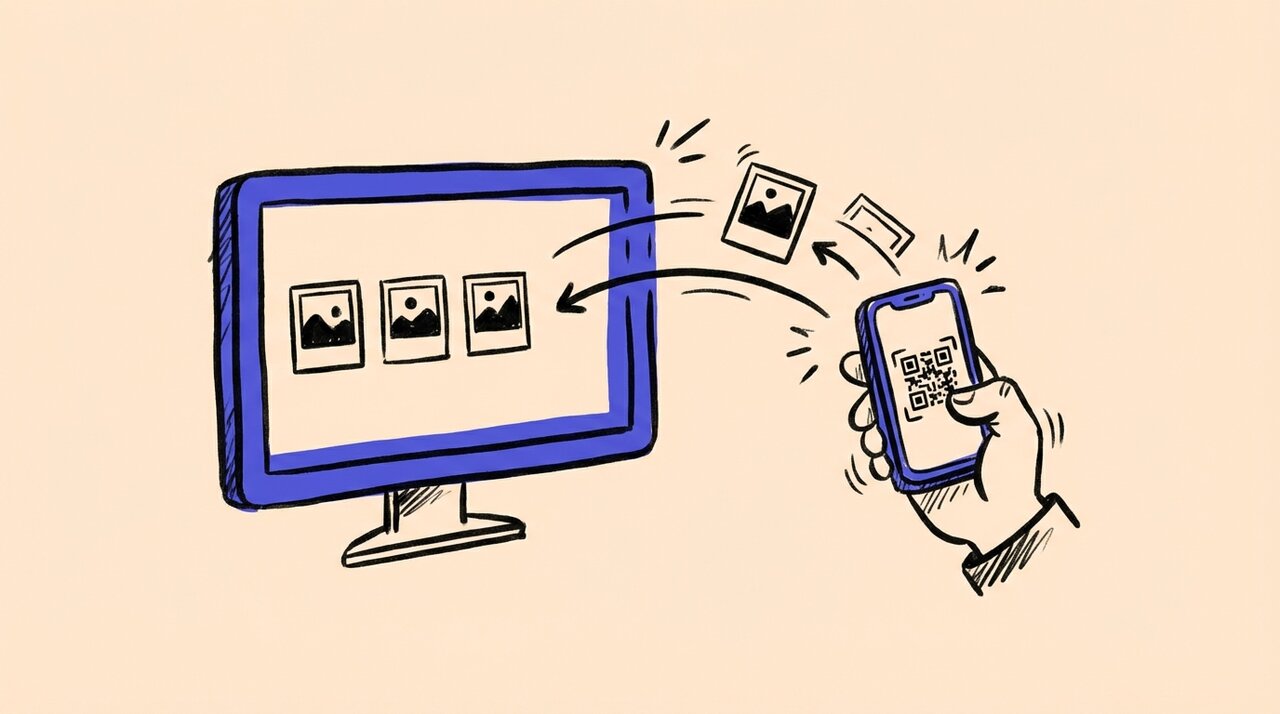
Short answer: Set up a screen or projector, connect it to a laptop running a photo sharing platform with live slideshow mode, and give guests a QR code to upload photos. Their photos appear on screen in real time with no manual work required.
- Use a dedicated photo sharing platform instead of manual file transfers
- Display a QR code so guests can upload from their phones instantly
- Enable moderation to review photos before they appear on screen
- Test everything before guests arrive
What You Need for a Live Photo Slideshow
Setting up a live photo wall is simpler than most people expect. Here’s your checklist:
- Screen or projector. A TV, monitor, or projector connected to a laptop works. Larger screens (55 inches or bigger) work best for visibility. This setup also works as a photo booth alternative if you want something more interactive than a traditional booth. For weddings, use our Wedding Day Timeline Builder to schedule when to display the slideshow.
- Laptop or streaming device. You need something to run the slideshow and connect to your screen.
- Reliable internet. Wi-Fi or a mobile hotspot. If venue Wi-Fi is unreliable, bring your own hotspot as backup.
- Photo sharing platform with live display. This is the key piece. You need software that collects guest photos and rotates them automatically.
- QR code signage. Print QR codes on table cards, posters, or programs so guests know where to upload.
Step-by-Step Setup
1. Create your event in the platform. Set your event name, upload any starter photos (like an engagement shot or company logo), and grab your QR code.
2. Enable the live slideshow. Most platforms have a “display mode” or “slideshow” setting. Turn it on and configure rotation speed.
3. Print and place QR codes. Put codes on tables, near the screen, at the bar, and anywhere guests gather. The more visible, the more uploads you get.
4. Connect your screen. Open the slideshow on your laptop and connect it to the TV or projector. Set the browser to full screen.
5. Test before doors open. Upload a few test photos from your phone. Confirm they appear on screen within seconds. Assign someone to monitor the display.
How Gather Shot Fits In
Gather Shot is a photo sharing platform designed for exactly this use case. Guests scan a QR code to upload photos directly from their browser. No app download required.
The platform includes a live slideshow mode that rotates uploaded photos automatically. Only approved photos display by default, with an optional auto-approve setting if you prefer hands-off management. The branded event page keeps your logo and colors front and center.
For trade shows and corporate events, this setup doubles as a lead engagement tool. Guests participate, see their photo on screen, and associate that experience with your brand. You can also add photo scavenger hunts to boost participation even more.
For 4th of July 2026 fireworks watch parties, a live slideshow is the centerpiece move. Set up a TV on the back deck or a projector on the patio, and uploads from the rooftop, backyard, and parade route rotate on screen in real time during the fireworks show. The 4th of July 2026 party planning checklist covers the rest of the day. For corporate fireworks watch parties with hybrid audiences, the corporate 4th of July event ideas guide walks through embedding the same slideshow for remote employees.
Best Practices for Engagement
Use moderation. Choose a platform that lets you approve photos before they appear on screen. This keeps inappropriate content hidden and maintains a polished look.
Mix in professional shots. Pre-load some high-quality photos from the photographer. This fills gaps early and sets a visual standard.
Announce it. Have the MC or DJ mention the photo wall. Guests upload more when they know their photos will appear on the big screen. For more tips on maximizing participation, see our guide on collecting event photos from guests .
Add branding. For corporate events and trade shows, include your logo and brand colors in the slideshow template. This reinforces brand visibility.
Frequently Asked Questions
How do guests send photos to the slideshow? They scan a QR code with their phone camera and upload directly from the browser. No app or account needed.
What equipment do I need? A screen (TV or projector), a laptop, and internet access. That’s it.
Can I approve photos before they appear? Yes. Enable moderation so every photo goes to a review queue first. You approve or hide each one.
Do guests need to download an app? No. Gather Shot runs entirely in the browser. Guests upload in under 30 seconds.
What if the venue Wi-Fi is unreliable? Bring a mobile hotspot as backup. Guest uploads are small (a few MB each), so even basic LTE works.
Next Steps
Ready to add a live photo wall to your next event? Create your Gather Shot event and start collecting photos in minutes. Your guests snap the photos. You get the memories on the big screen. For a complete overview of event photo strategies, see our event photo collection guide .
Written by
Gather Shot TeamThe Gather Shot team writes guides, planning resources, and product updates that help event hosts and photographers collect guest photos without asking anyone to download an app.
Related articles
More practical guides selected from the same event photo sharing topics.
Best Ways to Get Guests to Upload Photos to a Shared Gallery During an Event
How to get event guests uploading photos to a shared gallery in real time. Compare QR code galleries, shared albums, and more for weddings and events.
Mar 20·10 min read
Photo Scavenger Hunt Ideas for Weddings & Events
Pick photo scavenger hunt ideas for weddings, birthdays and work events. Get sample prompts, simple rules, manual scoring and ways to collect guest photos.
Nov 26·7 min read
Halloween Photo Scavenger Hunt: 30 Prompts
Plan a Halloween photo scavenger hunt with 30 prompts for parties, offices, and neighborhoods, plus setup, safety, team formats, awards, and QR sharing.
Aug 17·13 min read